By Use Case · Security Questionnaires
Security
questionnaires, drafted with evidence.
CAIQ, SIG, SIG Lite, custom buyer Excel sheets, same controls, restructured every time. Iris drafts every answer from your living security posture, attaches the right evidence automatically, and ships the finished response back in the format the buyer wants.
Kick off the questionnaire, your way
Start it where you work.
In Iris · one click
Create Project
Drop the documents into Iris directly. Iris extracts every question and structures the project automatically.
From your CRM
Salesforce · HubSpot
Drop the Security Questionnaire onto the opportunity in Salesforce or HubSpot. The project kicks off in Iris and reps track progress without leaving the CRM.
In Slack or Teams
From the message
Drop a file into your #security channel and start a project from the message. Notifications and SME assignments flow back through the same channel.
The workflow
From upload
to submission,
one flow.
01
Custom instructions
Enforced on every
answer
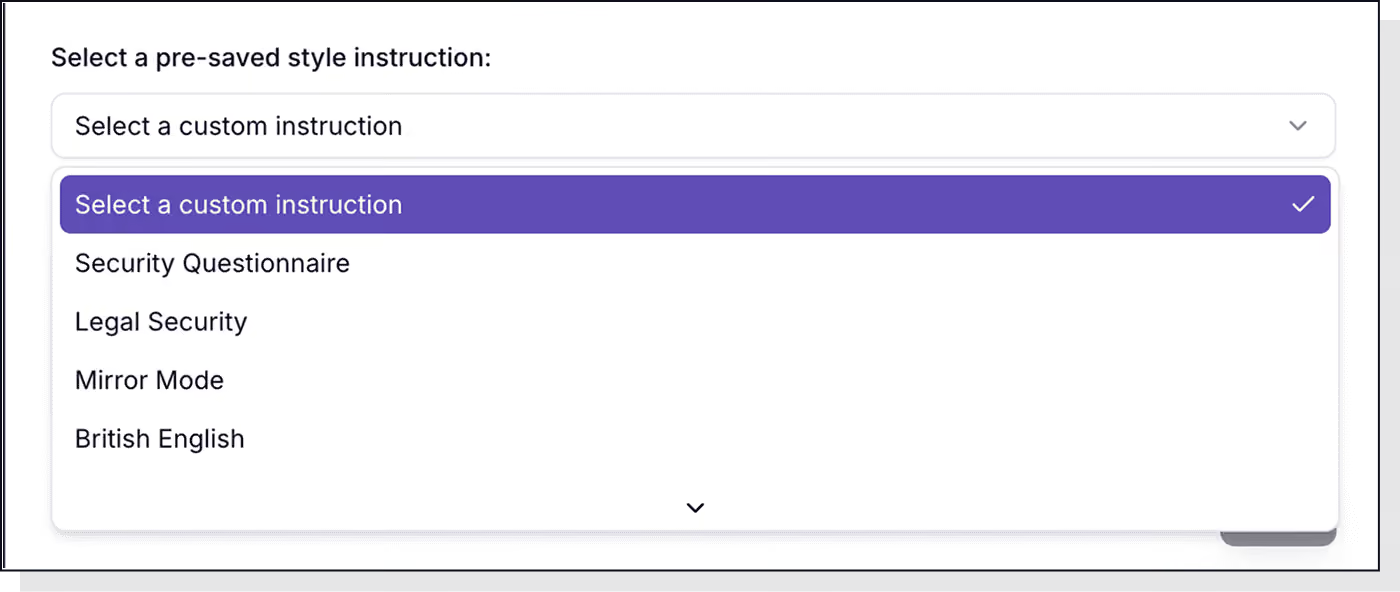
Choose a pre-saved style, Security Questionnaire, Legal Security, British English, or write your own. Tone, length, and structure are enforced on every answer.
02
Invite collaborators
People or groups
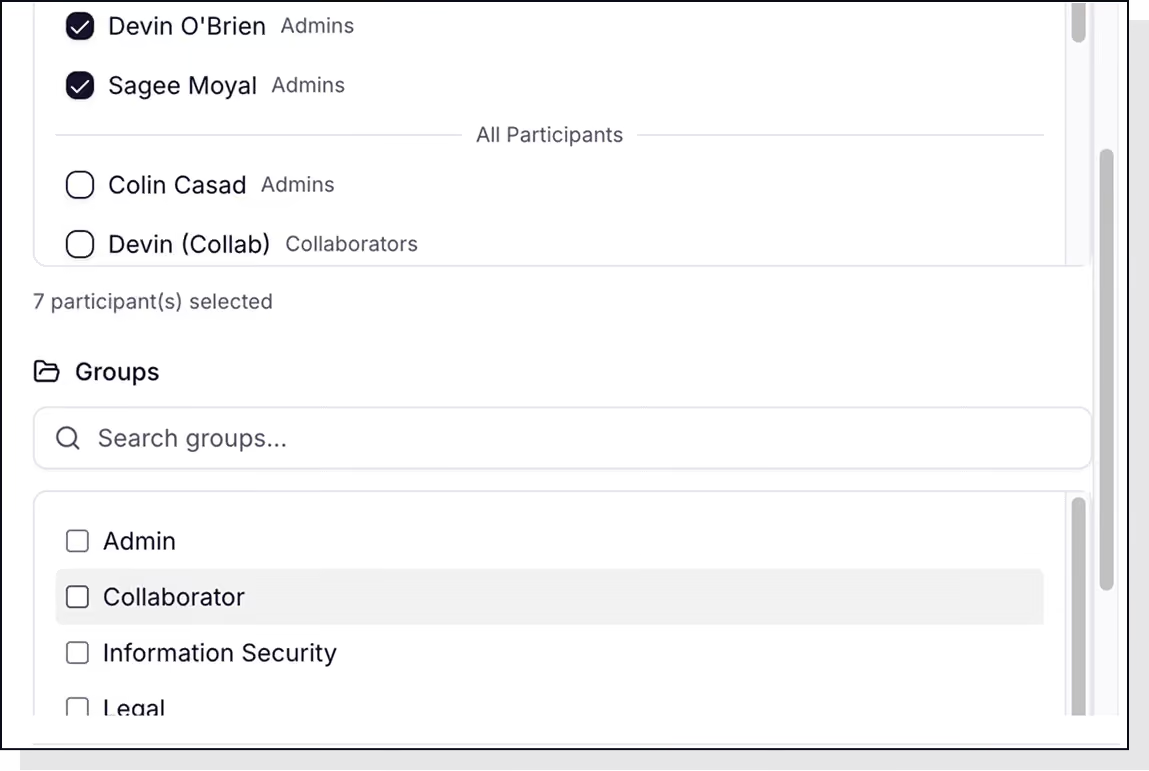
Add individuals or teams, Information Security,
Legal, Engineering. Assign questions or sections to the right
people from the start.
03
Iris generates
From your posture
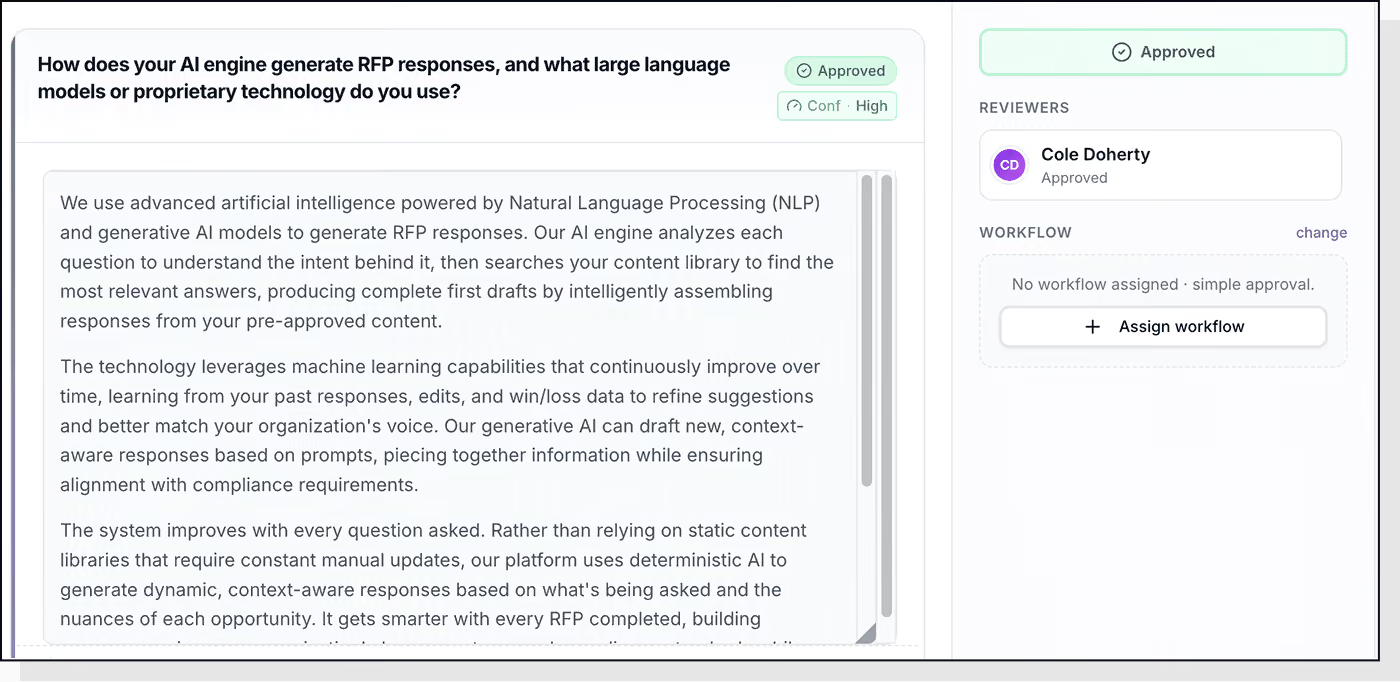
Every question answered from your knowledge map and security posture, contextual, cited, confidence-scored. Drafts ready to review.

04
Review & reassign
Without losing history
Edit inline. Comment and @-mention a SME. Reassign a
question to the right expert, without losing edits or audit
history.
05
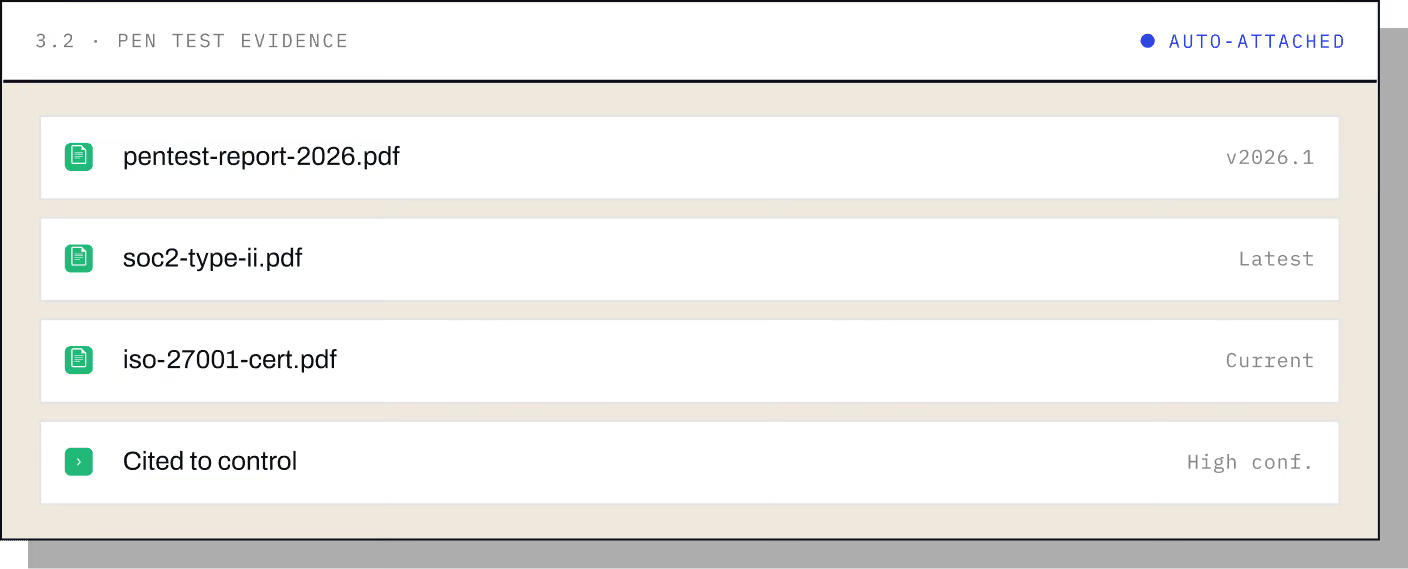
Attach evidence
Latest version, automatically
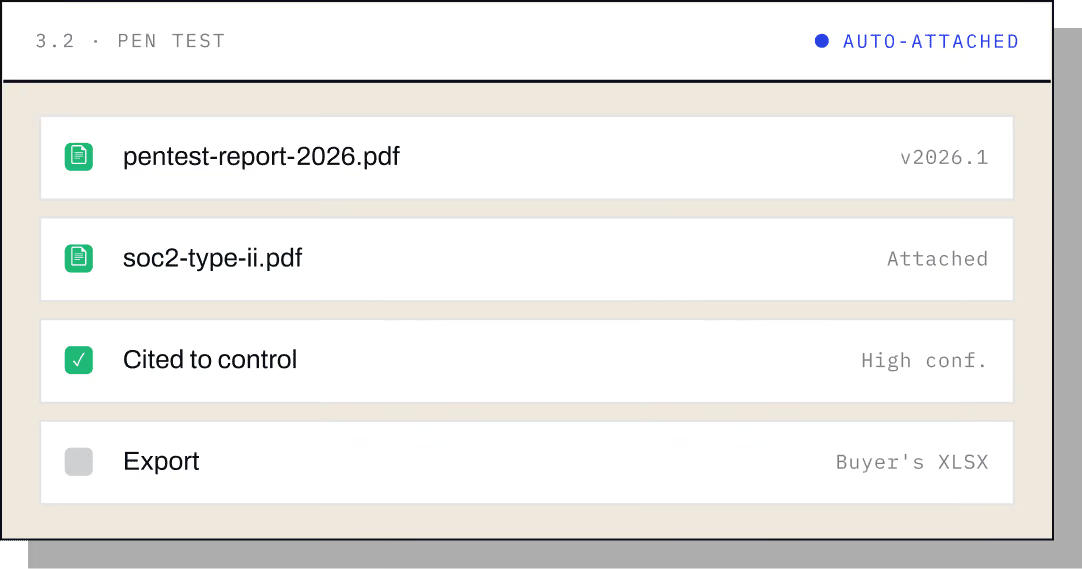
Reviewers ask for proof, SOC 2 reports, pen tests, policy PDFs, certifications. Iris finds the latest, correct version and attaches it right to the answer. As it learns, it does this automatically.
06
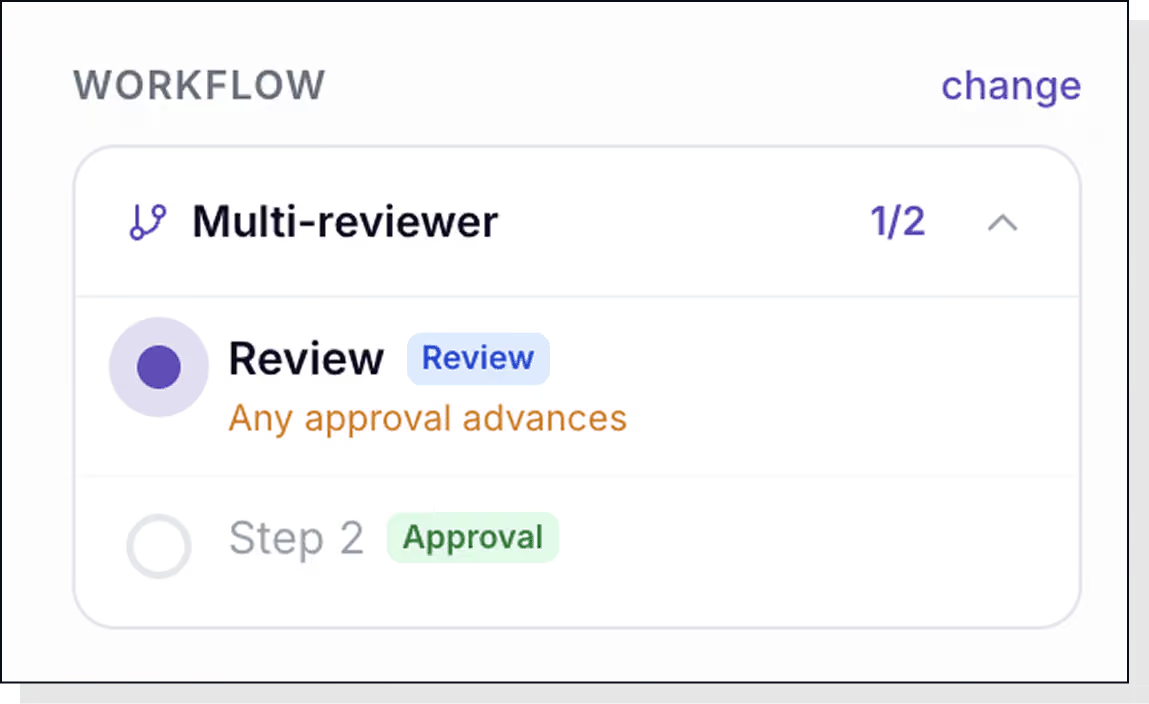
Approve
Through your workflow
Route through any sign-off chain your governance requires, single reviewer, multi-reviewer, or sequential steps like Review → Approval. Nothing exports until every step signs off.
07
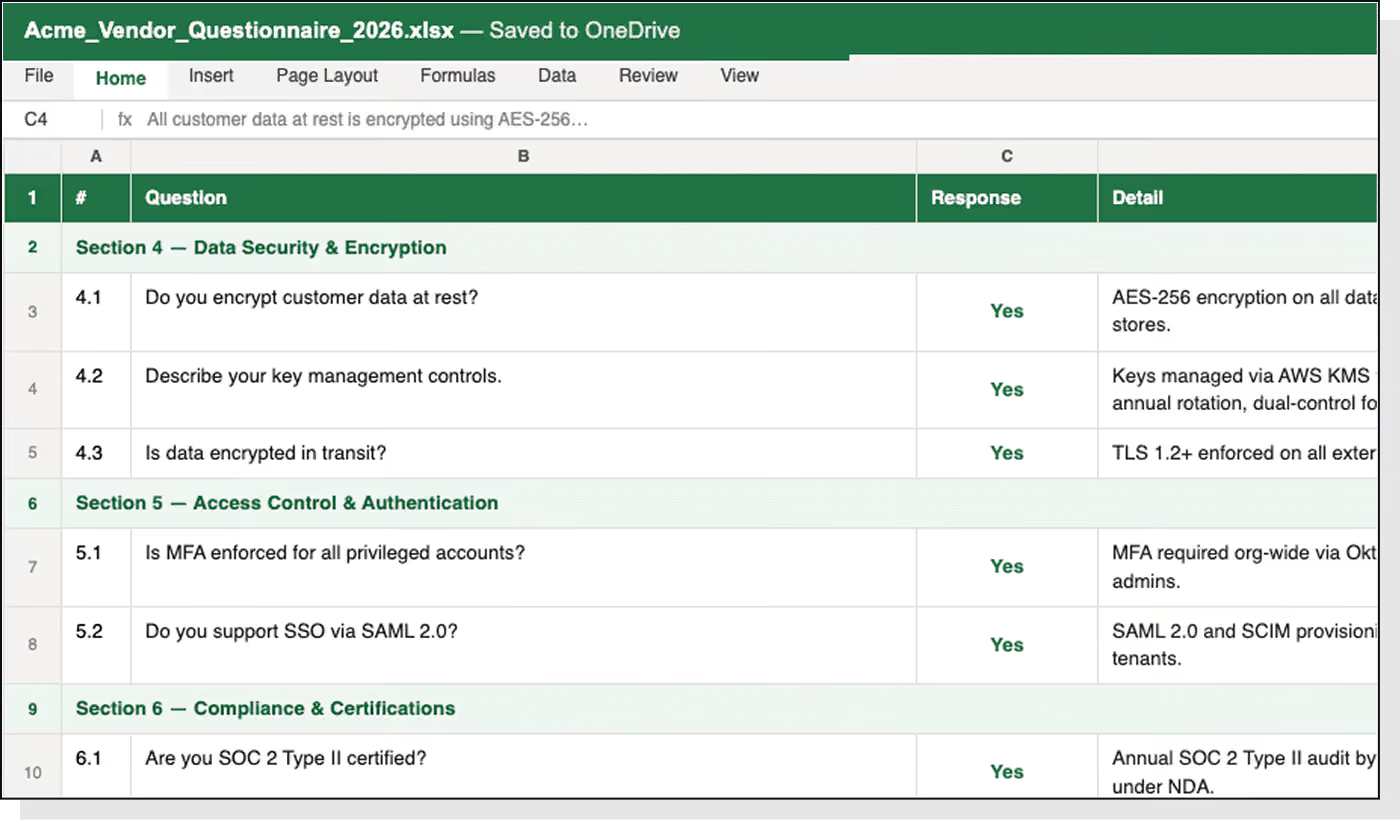
Export
The buyer's exact
format
Ship the completed questionnaire back in the exact format you received it, the buyer's Excel sheet, fully filled in, evidence attached, ready to submit.
The guardrails
Nothing ships
unverified.
Every answer cited
Policy, control, evidence
Each response links to the policy, control, or evidence file it came from, section and version. Reviewers verify before they approve.
Confidence scored
High, medium, low
On every answer, so your team focuses review where it matters.
Never hallucinates
Flags the gap
If the answer isn't in your knowledge map, Iris flags the gap instead of inventing one.
Evidence auto-attached
Latest version inline
SOC 2 reports, pen tests, policy PDFs. Iris finds the latest version, attaches it inline, then carries it through the export.
Human review before ship
Configurable workflow
Nothing leaves until the right people have signed off.
See it live
Answer a
real CAIQ.
15 minutes. We'll show it answering a real CAIQ — drafted,
cited, evidence attached.