
A Head-to-Head RFP Software Comparison for 2025
August 21, 2025
By
Evie Secilmis
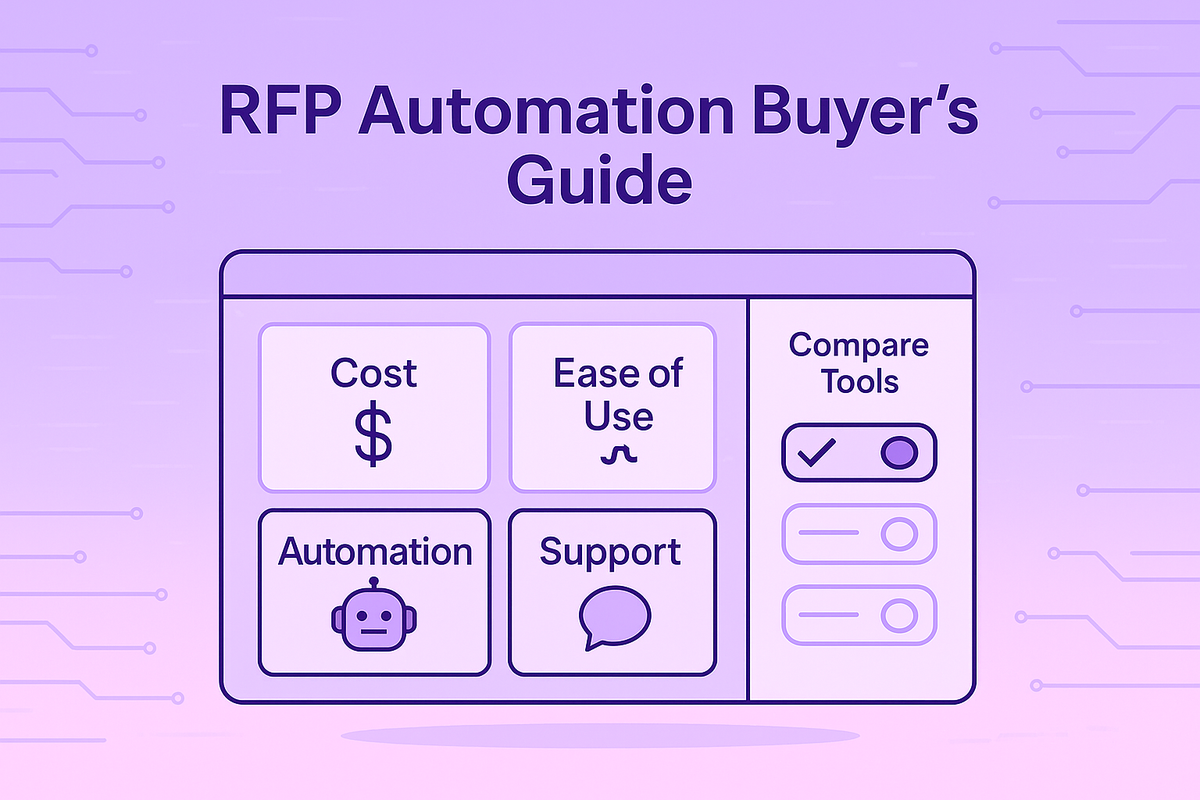

Your proposal process is costing you more than just time. It's costing you deals lost to inconsistent messaging and opportunities you can't pursue because your team is buried in manual work. The burnout is real. The right platform transforms this high-pressure task into a strategic advantage, directly impacting your win-rate optimization and revenue. This guide will help you compare best rfp software and find the perfect fit. We'll look at the best rfp platforms that simplify vendor comparison and show you how to calculate the return on your investment.
Key Takeaways
- Focus on core capabilities that save time and improve quality: Look for a platform with a central content library to eliminate searching, smart AI to draft accurate responses instantly, and seamless collaboration tools to keep your team aligned.
- Treat the decision as a strategic investment: Look beyond the price tag and calculate the potential ROI from increased win rates and reclaimed team hours. Ensure the software integrates smoothly with your existing tools, like your CRM, to create a seamless workflow.
- Validate your choice with a real-world test: Use the free trial to evaluate the software with one of your own complex RFPs, not just sample data. This is the best way to confirm the tool is easy to use, the vendor provides excellent support, and it truly solves your team's specific challenges.
What is RFP Software, and Do You Really Need It?
If you’ve ever felt the pressure of a looming RFP deadline, you know the drill: scrambling to find the right answers, chasing down subject matter experts, and manually piecing together a document you hope is accurate and compelling. It’s a high-stakes, time-consuming process that can feel like you’re constantly reinventing the wheel. This is where RFP software comes in. At its core, this software is a specialized tool designed to help your team manage and automate responses to business proposals like RFPs, RFIs, and security questionnaires.
Think of it as a central command center for your entire proposal process. Instead of digging through old documents and shared drives every time a new request lands, you have a smart, searchable library of your best content right at your fingertips. An effective AI deal desk helps you organize information, collaborate with your team, and generate polished first drafts in a fraction of the time. For any business that relies on winning competitive bids, this isn't just a nice-to-have—it's a strategic advantage. It frees your team from tedious administrative work so they can focus on what really matters: crafting a winning strategy and closing more deals.
The Growing Role of RFP Software in Sales
The conversation around sales tools is shifting. It's no longer just about managing customer relationships; it's about managing the entire sales cycle with greater intelligence and speed. RFP software has become a critical piece of that puzzle. Investing in the right platform is a direct investment in your company’s efficiency and revenue. By automating the most repetitive parts of the proposal process, you give your team back its most valuable resource: time. This allows your top performers to stop being content librarians and start being strategic advisors, focusing on tailoring proposals and building relationships that close deals. The right tool pays for itself by helping you increase your win rate and pursue more opportunities without burning out your team.
A Typical RFP Software Workflow
So, how does it actually work? RFP software helps you create proposals by building a searchable, central library from all your past responses and best-in-class content. You can say goodbye to digging through old folders. When a new RFP, RFI, or security questionnaire comes in, the software reads the questions and uses AI to find the most accurate and relevant answers from your library. It then assembles a complete first draft in minutes, often matching the customer's specific language and formatting. Your team’s role shifts from writing from scratch to reviewing, refining, and personalizing the response. This streamlined workflow ensures consistency, accuracy, and a much faster turnaround time for every single proposal you send.
Who Uses RFP Software? Key Industries
While any business that responds to complex proposals can benefit, RFP software is especially valuable in certain sectors. Industries like technology, healthcare, construction, and finance rely on these tools to manage detailed and often highly regulated bids. Tech companies use it to tackle extensive security questionnaires, while construction firms handle intricate project specifications. Government contractors are also major users, as they need to navigate the highly structured and competitive world of public sector bids. For example, our partnership with GovSpend helps businesses find and win government contracts more effectively. Ultimately, if your sales process involves responding to detailed documents to win business, an AI deal desk can provide a significant competitive edge.
Your RFP Software Checklist: What to Look For
When you start evaluating different RFP tools, it’s easy to get lost in a sea of features. To cut through the noise, focus on what will actually make your life easier. The best RFP software should feel like a partner, not another complicated system to learn. Look for a platform with easy import and export options, so you’re not stuck reformatting documents. A powerful content management system is non-negotiable; it should act as a single source of truth for all your approved answers. Finally, smart AI assistance is the real game-changer, helping you find and place accurate information without endless manual checks.
How RFP Software Solves Your Biggest Headaches
Let's be honest, the traditional RFP process is full of headaches. It’s inefficient, prone to error, and can quickly burn out your best people. RFP software directly addresses these pain points. First, it introduces massive efficiency gains by automating repetitive tasks. Instead of spending hours searching for an answer you know you’ve used before, the software finds it in seconds. This also promotes consistency, ensuring every proposal that goes out the door uses the most up-to-date, on-brand messaging. It fosters better teamwork by creating a single space for collaboration, tracking progress, and managing approvals, which ultimately leads to higher quality proposals and better win rates.
The Must-Have Features in Any RFP Software
When you start comparing RFP software, the sheer number of options can feel overwhelming. They all promise to make your life easier, but what features actually move the needle? To cut through the noise, focus on the core capabilities that directly address the biggest RFP headaches. The right tool isn't just about automation; it's about creating a smarter, more collaborative, and more successful response process from start to finish. Let's break down the non-negotiable features you should look for.
Centralize Your Content Library
Think about how much time your team wastes hunting for the latest company boilerplate, product descriptions, or security details. A top-tier RFP tool acts as a single source of truth for all your response content. It should let you store, organize, and easily find approved information, from company details to complex technical answers. This central library ensures every proposal is consistent, accurate, and up-to-date. When your best answers are just a search away, you can stop reinventing the wheel and focus on tailoring your proposal to win the deal. This is a foundational feature for any serious RFP solution.
Let AI Help You Write Winning Responses
This is where modern RFP software truly shines. Instead of just storing content, the best platforms use AI to intelligently draft responses for you. Imagine uploading an RFP and getting a high-quality first draft back in minutes, not days. This capability frees your team from tedious copy-and-paste work, allowing them to focus on strategy and personalization. Look for a tool with a powerful AI engine that learns from your past responses to improve its suggestions over time. This isn't just about speed; it's about leveraging technology to produce stronger, more competitive proposals that significantly improve your win rates.
Make Team Collaboration Effortless
RFPs are a team sport. Your software should make it easy for sales, subject matter experts (SMEs), legal, and leadership to work together, no matter where they are. Look for features like clear project dashboards, task assignments, and real-time commenting. The goal is to eliminate the chaos of managing responses through endless email chains and messy shared documents. A collaborative platform ensures everyone knows their role, deadlines are met, and the final proposal is a cohesive effort. This streamlined workflow is essential for getting high-quality responses out the door on time, every time.
Use Analytics to Optimize Your Win-Rate
How do you know if your proposals are actually effective? Without data, you're just guessing. Your RFP software should provide clear analytics on your performance. This includes tracking key metrics like your overall win rate, how often certain content is used, and which responses are most successful. This information is invaluable for refining your strategy. By understanding what works and what doesn't, you can continuously improve your content library and proposal tactics. Good analytics turn your RFP process from a reactive task into a data-driven engine for revenue growth.
Never Lose Track with Smart Templates & Version Control
Starting every proposal from scratch is a massive time sink. Good RFP software allows you to create and save custom templates for different types of documents, from RFPs and RFIs to security questionnaires. This ensures brand consistency and gives you a solid starting point for every new project. Equally important is version control. The software should automatically track changes and manage revisions, so you can be confident that everyone is working on the latest draft. This prevents costly errors and ensures the final document you submit is polished, professional, and accurate.
Ensure Top-Tier Security and Compliance
You're trusting your RFP software with sensitive company and client data, so security is non-negotiable. The platform you choose must have robust security measures to protect your information. Look for vendors that are transparent about their security practices and hold certifications like SOC 2. It's also critical to confirm that the vendor won't use your proprietary data to train their AI models for other customers. A dedicated security team and a commitment to data privacy are clear signs that a vendor takes this responsibility seriously, giving you the peace of mind you need.
Advanced AI: Finding Conflicting Information
Here’s a nightmare scenario: your sales team promises 99.99% uptime in one section of an RFP, while the technical specs from engineering list it as 99.9%. This tiny discrepancy can erode trust and cost you the deal. The best RFP software uses advanced AI to act as your final line of defense against these kinds of errors. It goes beyond simply suggesting answers; it actively scans your documents to find conflicting information before you hit submit. This capability is a huge step up from a basic content library, turning your software into a proactive partner that helps maintain the integrity and accuracy of your proposals, ensuring you always present a single, unified source of truth.
Performance and Speed Benchmarks
When a vendor says their software is "fast," what does that actually mean? Vague promises won't help you make a smart decision, so look for concrete performance benchmarks. A great tool should be able to generate at least 100 high-quality, relevant answers per hour. This is the kind of speed that transforms your workflow, cutting down the time to produce a first draft from days to mere minutes. This efficiency isn't just about meeting deadlines; it's about giving your team the bandwidth to handle more opportunities and focus their energy on strategic customization, which is what truly helps to increase your win rate.
Understanding the Different Types of Proposal Tools
The market for proposal software is crowded, and not all tools are created equal. Many platforms touch on parts of the proposal process, but they aren't all designed to solve the core challenge of responding to RFPs quickly and accurately. Understanding the key differences will help you zero in on a solution that actually fits your team's workflow. Some tools are built for project management, others for general sales content, and a select few are true AI-powered response platforms. Let's break down the main categories so you can see what makes the most sense for your business.
RFP Project Management Software
This category includes some of the legacy players in the RFP space. These platforms are essentially sophisticated project management tools tailored for the RFP lifecycle. They help you assign tasks, track deadlines, and manage approvals within a structured environment. While they can be useful for very large enterprises juggling dozens of complex bids simultaneously, they often come with a steep learning curve and a hefty price tag. A major drawback is that many of these systems lack true AI automation, meaning your team still ends up doing the heavy lifting of finding and writing the actual responses, just within a more organized framework.
Sales Enablement & Knowledge Management Platforms
You’re probably familiar with tools like Highspot or Guru. These platforms are fantastic for organizing all sorts of sales and marketing collateral, from case studies and whitepapers to product one-pagers. They serve as a central library for your sales team to find content to share with prospects. However, they aren't built for the specific, question-and-answer format of an RFP or security questionnaire. While you can store approved answers in them, they don't help you automate the process of filling out a document. They solve the "where is our content?" problem but not the "how do we respond to this 200-question RFP by Friday?" problem.
Security Compliance Software
Tools like Vanta and Drata are masters of a very specific domain: security and compliance questionnaires. They are purpose-built to help IT and security teams manage documents like SOC 2, ISO 27001, and other intricate security assessments. They excel at this, providing a streamlined workflow for a highly technical process. The limitation is that their focus is narrow. They aren't designed to handle the broad scope of a commercial sales RFP, which includes questions about company history, pricing, and implementation. These tools are essential for the security team but aren't the right fit for a sales team trying to win new business.
AI RFP & Questionnaire Automation Tools
This is the modern approach to the RFP challenge. Platforms in this category, like our own AI deal desk, are designed from the ground up to automate the response process. They use artificial intelligence to analyze incoming questionnaires and generate accurate, context-aware first drafts in minutes. These tools combine a smart content library with a powerful AI engine, specifically to reduce the manual effort for sales and solutions engineering teams. They are built to handle a wide variety of documents—from RFPs and RFIs to SOWs and DDQs—making them a versatile solution for any team that needs to respond to complex customer requests to drive revenue.
Potential Downsides of RFP Software to Consider
Choosing any new software is a big decision, and it’s smart to go in with your eyes open. While the right RFP tool can be a complete game-changer for your sales process, there are potential pitfalls to be aware of. Not all platforms are built with the user in mind, and some can introduce new frustrations if you don't select carefully. Being mindful of these common issues will help you ask the right questions during demos and select a partner that will truly support your team's success, rather than just adding another complicated tool to your tech stack.
Template and Customization Limits
One of the first frustrations teams encounter is a lack of flexibility. Some RFP tools can be rigid, forcing you into predefined templates that might not align with your brand or the specific requirements of a proposal. If you can't easily customize the look, feel, and structure of your documents, you risk sending out generic proposals that fail to stand out. Before committing, make sure the software allows you to create, save, and modify your own templates. Your proposal is a reflection of your company, and your software shouldn't limit your ability to present your best self.
Reporting and Analytics Gaps
If you can't measure it, you can't improve it. A surprising number of RFP tools lack meaningful reporting and analytics. Without data, you're flying blind, unable to see which proposals are successful, what content resonates most, or where your process has bottlenecks. Look for a platform that offers a clear dashboard with key metrics like win/loss rates, content usage, and team productivity. These insights are crucial for refining your strategy over time and turning your proposal process into a data-driven operation that consistently improves performance and wins more deals.
The Cost of Advanced Features
Let's talk about the bottom line. RFP software is an investment, and pricing can sometimes be confusing or prohibitive. Be wary of vendors with complicated pricing tiers that lock essential features, like AI assistance or key integrations, behind their most expensive enterprise plans. It's important to find a solution with transparent pricing that provides clear value from day one. Instead of just looking at the sticker price, calculate the potential return on investment. Consider the hours your team will save and the value of increasing your win rate by even a few percentage points—often, the right tool pays for itself very quickly.
Comparing the Best RFP Software: A Head-to-Head Look
Choosing the right RFP software can feel like a huge task, but it really comes down to what your team needs most. Some tools are built for speed and AI-powered efficiency, while others excel at creating beautiful, design-heavy proposals. You’ll find platforms designed for massive enterprise teams managing complex workflows, and simpler, budget-friendly options perfect for small businesses just getting started. The key is to match the software’s strengths to your team’s specific challenges and daily grind.
Think about your biggest pain points. Is it the endless search for the right answer in a sea of old documents? Is it the back-and-forth of collaborating with subject matter experts across different departments? Or is it just the sheer amount of time it takes to get a first draft out the door? Each tool on this list offers a different approach to solving these problems. As you go through this list, keep your team’s day-to-day reality in mind. This isn’t about finding a one-size-fits-all solution, but about finding the tool that will feel like a natural extension of your team and help you win more deals. We'll break down the top contenders to help you see which one aligns best with your goals.
HeyIris.ai: The AI-Powered Contender
HeyIris.ai is all about giving your team a serious productivity advantage with AI. It’s designed to streamline the entire response process, from RFPs and RFIs to security questionnaires. The platform’s AI-powered features help you generate accurate first drafts in a fraction of the time, freeing your team to focus on strategy instead of administrative work. It also excels at collaboration, making it easy to work with subject matter experts and keep your content library fresh and accurate. If your main goal is to reduce response time and improve the quality of your proposals through smart automation, Iris is a fantastic choice.
Loopio: The Collaboration King
Loopio is a powerhouse when it comes to content management. Its standout feature is a robust, intelligent content library that makes it incredibly easy to store, find, and reuse past answers. This is a game-changer for teams that spend too much time hunting for information. By centralizing your best content, Loopio helps you respond to RFPs faster and with greater consistency. It’s a strong contender for any organization that wants to build a single source of truth for their proposal content and optimize their response workflow from start to finish.
RFPIO: The Enterprise Favorite
Now known as Responsive, RFPIO is built to handle the entire response management lifecycle, making it a popular choice for large enterprises with complex needs. It offers a comprehensive suite of features that support everything from the initial intake of a request to the final submission. Responsive is particularly good at managing intricate workflows and collaborating across large, dispersed teams. If you’re part of a big organization that needs a powerful, end-to-end solution to manage a high volume of complex proposals, this platform has the robust features you’re looking for.
Qvidian: The Seasoned Veteran
Qvidian is a long-standing player in the proposal management space, known for its strong automation capabilities and cloud-based platform. It’s particularly favored by organizations in regulated industries like financial services, where accuracy and compliance are critical. Qvidian excels at organizing vast amounts of information and automating the assembly of complex documents, which helps ensure consistency and quality across all your responses. Teams looking for a reliable system with excellent support to streamline their proposal process will find a solid partner in Qvidian.
Ombud: The Sales Enablement Specialist
Ombud’s strength lies in its focus on knowledge management and sales content collaboration. It’s designed to be a central hub where all your company’s best information lives, making it easy for sales and proposal teams to quickly find and use approved content. This approach breaks down information silos and ensures everyone is working from the same playbook. Ombud is great for organizations that need to manage extensive documentation and want to empower their teams to build winning responses through better access to information. If centralizing your content is your biggest challenge, Ombud offers a powerful solution..
Best for Visually-Driven Proposals
If you believe a proposal should look as good as it reads, Proposify is your tool. It’s built for sales teams who want to create visually stunning, professional proposals without needing a graphic designer on standby. The platform stands out with its strong emphasis on visual design and creating a polished client experience from the moment they open the document. For teams that want to move fast and make a strong first impression, Proposify offers a great balance of aesthetics and functionality. It’s an excellent choice for organizations where the visual appeal of sales documents is a key part of the brand and sales strategy, helping you create proposals that are both persuasive and memorable.
Best for Highly-Regulated Industries
For companies in sectors like finance or healthcare, compliance isn't just a buzzword—it's a requirement. Qvidian is a seasoned expert in this arena, with over 40 years of industry experience. This platform is designed for established companies and professional services firms that need a robust, feature-rich solution to manage complex and highly-regulated proposals. Its AI-powered features are backed by deep industry knowledge, ensuring that accuracy and compliance are at the forefront. If your organization values proven methodologies and needs a system that can handle the rigorous demands of a regulated environment, Qvidian provides the structure and reliability you need to respond with confidence.
Best for Government Contractors
Responding to government contracts comes with its own unique set of rules and requirements. Zbizlink is specifically designed to meet the needs of small to mid-sized government contractors (GovCon). The platform stands out by offering specific workflows and content libraries tailored to the compliance-heavy world of government bidding. This focus means you’re not trying to adapt a generic tool for a specialized purpose. Instead, you get an affordable, compliance-focused solution built from the ground up for your industry. For government contractors who need a tool that understands their specific challenges, Zbizlink is a strong and accessible option.
Best for Issuing and Responding to RFPs
Some organizations find themselves on both sides of the table, issuing RFPs one day and responding to them the next. RFP360, now part of Responsive, is designed for this exact scenario. Its standout feature is its dual functionality, providing a single, easy-to-use platform for both issuers and responders. This eliminates the need for separate systems and streamlines the entire procurement and sales cycle. For mid-sized companies that need the flexibility to manage both incoming and outgoing proposals, RFP360 offers a centralized solution that simplifies the process for everyone involved, making it easier to manage communication and keep track of every moving part.
How to Decode RFP Software Pricing
Let’s talk about money. RFP software pricing can feel like a puzzle, with different tiers, user fees, and feature lists that seem to go on forever. But it doesn’t have to be complicated. The key is to look beyond the sticker price and understand what you’re truly paying for—and what value you’re getting in return. Most RFP software is sold as a subscription service, which means you’ll pay a recurring fee, usually monthly or annually.
The price you pay often depends on two main things: the number of people on your team who will use the software (the "per-user" model) and the level of features you need. A small team just getting started will have very different needs—and a different budget—than a large enterprise sales department. The goal is to find that sweet spot where the cost makes sense for the efficiency and growth the tool provides. Think of it less as an expense and more as an investment in winning more deals and giving your team back their most valuable resource: time. We’ll break down the common pricing structures so you can walk into any sales call with confidence.
Subscription or Per-User: Which Model is Right for You?
Most RFP software companies use a tiered, per-user pricing model. Think of it like a menu where you pick the plan that best fits your team's appetite. A personal or small team plan might run you about $10 to $20 per user each month, giving you access to core features like templates and basic reporting. As your team grows, a business plan, typically in the $30 to $50 per user range, adds more powerful tools like automation and better integrations. This is often the sweet spot for established teams. Understanding these SaaS pricing models helps you compare apples to apples when evaluating different vendors and find a plan that can scale with you.
What to Expect from Enterprise Plans
If you're part of a large organization, you’ll likely be looking at an enterprise plan. These come with custom pricing, often falling in the $50 to $100 per user per month range, and for good reason. Enterprise plans are built for complexity and scale. They include robust security features to meet strict compliance standards, full integrations with your entire tech stack (like Salesforce and SharePoint), and dedicated support from a customer success manager. This level of service ensures the software works exactly how your business needs it to, providing a strategic advantage that goes far beyond basic proposal creation.
Watch Out for These Hidden Costs
Before you sign on the dotted line, it’s smart to ask about any potential costs that aren't listed on the pricing page. Some vendors charge one-time setup or implementation fees to get you started. Others might have limits on template customization or charge extra for premium integrations. Data migration can also sometimes come with a price tag. Be sure to ask about the total cost of ownership, including any fees for training, ongoing support, or adding more users down the road. Getting clarity on these details upfront ensures there are no surprises later and that the price you agree to is the price you actually pay.
How to Calculate Your RFP Software ROI
Ultimately, the price of RFP software is only one part of the equation. The other, more important part is the return you get on that investment. Think about the hours your team currently spends searching for answers, copying and pasting old content, and formatting documents. An AI-powered tool like Iris can cut that time dramatically, freeing up your team to focus on strategy and building relationships. A good platform also improves consistency and quality, which directly impacts your win rate. When you calculate the ROI, you’ll likely find that the efficiency gains and increased revenue more than justify the subscription cost.
How to Ensure Your New Software Integrates Smoothly
Your RFP software won’t be working in a bubble. It needs to fit neatly into your existing ecosystem of tools to be truly effective. The last thing you want is another piece of software that creates more manual work, forcing your team to constantly copy and paste information between platforms. The goal is to create a seamless flow of data that makes everyone’s job easier, not harder.
A well-integrated RFP tool acts as a central command center that communicates with all the other software your team relies on daily. When these systems talk to each other, you eliminate data silos, reduce the risk of human error, and speed up the entire response process. Think of it as building a digital assembly line where information moves automatically from one station to the next, from initial request to final submission. This connectivity is what transforms a good tool into an indispensable part of your sales process.
Integrating with Your CRM
Your Customer Relationship Management (CRM) platform, whether it’s Salesforce, HubSpot, or another system, is the heart of your sales operations. It’s where all your customer data lives. A solid RFP tool should connect directly to your CRM, allowing you to pull in account details, contact information, and deal history without missing a beat. This connection also works both ways, automatically updating the deal status in your CRM as you make progress on the proposal. This ensures your sales pipeline is always accurate and helps improve workflow and data management across the entire sales team, giving everyone a clear view of what’s happening.
Syncing with Project Management Tools
Responding to an RFP is a complex project with many moving parts and contributors. Integrating your RFP software with project management tools like Asana, Trello, or Jira can be a game-changer for team collaboration. Instead of tracking tasks in a separate spreadsheet, you can assign sections to subject matter experts, set deadlines, and monitor progress within the workflow your team already uses. This keeps everyone aligned and accountable, ensuring that all contributions are submitted on time. When your tools are in sync, it simply makes your work smoother and keeps the entire process running like a well-oiled machine.
Connecting to Your Document Systems
Your company’s best and most accurate content—from case studies and security protocols to product descriptions—is likely stored in a knowledge base or cloud storage system like SharePoint, Confluence, or Google Drive. An RFP platform that integrates with these systems allows you to pull approved content directly into your responses. This is huge. It means your team isn’t wasting time hunting for the latest version of a document or using outdated information. By connecting to your single source of truth, you can ensure every proposal is consistent, accurate, and uses the most compelling content you have, helping you keep answers updated with minimal effort.
Ensuring Compatibility with Financial Software
The pricing and financial details in your proposal have to be perfect. Any mistake can jeopardize the deal or hurt your margins. That’s why compatibility with financial software is so important. When your RFP tool can connect with your company’s Enterprise Resource Planning (ERP) or accounting software, you can pull in accurate product pricing, calculate costs, and generate precise quotes directly within your proposal. This integration is especially helpful for teams that manage complex pricing structures or need to include detailed Statements of Work (SOWs). It streamlines the process and ensures the financial components of your proposal are built on reliable data from your larger company systems (ERPs).
What You Can Do with API Access
Even with a long list of pre-built integrations, you might use a specialized tool that isn’t on it. This is where an Application Programming Interface (API) comes in. Think of an API as a universal adapter that allows different software programs to communicate with each other. If the RFP software offers API access, your development team can build custom connections to any other tool you use. This gives you the ultimate flexibility to create a workflow that’s perfectly tailored to your team’s unique needs. It future-proofs your investment, ensuring the software can adapt and continue to work with other business tools as your company grows and your tech stack evolves.
How to Overcome Common Setup Hurdles
Switching to a new software platform can feel like a huge project, but it doesn’t have to be a headache. The key is to anticipate the common bumps in the road so you can plan for a smooth transition. From getting your team excited about the change to making sure your data is secure, a little foresight goes a long way. Thinking through these potential challenges before you sign a contract will help you choose a partner, not just a product, and set your team up for success from day one. Let’s walk through the most common setup hurdles and how you can clear them with confidence.
Getting Your Team On Board
The best software in the world won't make a difference if your team doesn't use it. Getting buy-in starts with communication. Explain why you're making a change and how it will make their jobs easier—less time searching for answers, fewer repetitive tasks, and more time for strategic work. It's also smart to involve key team members in the selection process. When people have a say in the tool they'll be using, they're more invested in its success. Remember, good tools should also make it easy for everyone to work together. Look for features that support seamless teamwork, as this will naturally encourage adoption and make the transition feel like a shared upgrade.
How to Plan Your Team's Training
A new tool means a new workflow, so a solid training plan is non-negotiable. Don't just throw a user manual at your team and hope for the best. Your chosen software vendor should be a partner in this process. Before you commit, ask about their onboarding and training programs. Do they offer live sessions? Is there a library of video tutorials? Most importantly, make sure there's good customer support if you get stuck. A responsive and helpful support team can make all the difference during those first few weeks. Proactively schedule training time and consider creating a quick-start guide with your team’s specific use cases to help everyone get up to speed quickly.
Moving Your Data Without the Mess
The thought of migrating years of content from spreadsheets and shared drives can be daunting. A smooth data migration is one of the clearest signs of a well-designed RFP tool. The software should let you easily bring in your existing information, whether it's from past proposals, knowledge bases, or templates. During demos, ask vendors to show you exactly how their import process works. Can you upload documents in bulk? Does it preserve formatting? The same goes for getting information out. You'll want the flexibility to save finished RFPs in different formats like PDF or Word, so confirm that the export options fit your needs.
Addressing Security Concerns Upfront
When you’re handling proposals, you’re dealing with sensitive company and client information. Security can't be an afterthought. You need to be confident that your data is protected. Ask vendors direct questions: How is my data encrypted? Are you SOC 2 compliant? Where are your servers located? A critical question for AI-powered tools is whether they use your data to train their models. The answer should be a clear "no." Look for vendors with dedicated security teams and transparent privacy policies. Choosing a platform that prioritizes data protection gives you peace of mind and protects your business from risk.
How to Optimize Your Software for Peak Performance
The whole point of RFP software is to make your process faster and more effective. So, how do you measure that? Look for real performance metrics. For example, a good AI-powered tool should be able to generate hundreds of high-quality answers per hour, not just spit out generic text. During your trial period, test the software with your own content and real-world RFPs. How quickly and accurately does it find the right answers? Does it significantly reduce the time it takes to create a first draft? Set clear benchmarks for what you need the software to do, and choose a tool that can meet—and exceed—those expectations, ultimately improving your deal volume and win rates.
How to Measure Your Success
Once you've chosen your RFP software, the next step is to prove it's working. You didn't just buy a tool; you invested in a better way to win business. Measuring your success isn't just about justifying the cost—it's about understanding what's working so you can do more of it. By tracking the right metrics, you can see the real impact on your efficiency, your win rate, and your team's day-to-day happiness. Let's break down exactly what you should be looking at.
What KPIs Should You Be Tracking?
Think of Key Performance Indicators (KPIs) as your proposal process's report card. Start by tracking a few core numbers. First, look at your average response time—how long does it take to get a quality proposal out the door? Faster turnaround means you can pursue more opportunities. Next is your proposal volume, or how many RFPs you can now handle each month or quarter. Finally, and most importantly, is your win rate. These numbers give you a clear, data-backed story of your progress. Tracking these sales KPIs helps you move from feeling productive to knowing you are.
How to Measure Efficiency Gains
Efficiency is all about getting more done with less effort. The easiest way to measure this is by tracking the time your team spends on each proposal, from start to finish. Compare your 'before software' average to your 'after software' average—the difference is your time savings. But don't just stop at the clock. Note the reduction in back-and-forth emails and last-minute scrambles for information. This newfound efficiency isn't just about speed; it's about freeing up your best people to focus on strategy instead of administrative tasks. It’s how you can accelerate your process and take on more complex, high-value bids without burning out your team.
How to Analyze (and Improve) Your Win Rate
Your win rate is the ultimate measure of success. A great RFP tool doesn't just help you work faster; it helps you win more often. By centralizing your best content and using AI to craft compelling responses, the software directly improves the quality and consistency of your proposals. Start tracking your overall win rate, but also dig deeper. Are you winning more in certain industries? Are proposals for specific products performing better? The analytics inside your RFP software can reveal these patterns, giving you the insights to make smarter decisions about which opportunities to pursue. These powerful features turn your proposal data into a strategic advantage, helping you refine your approach with every submission.
Measuring the Impact on Team Productivity
Happy, productive teams submit winning proposals. RFP software has a huge impact here by automating the tedious, repetitive parts of the job—the copy-pasting, the searching for answers, the formatting nightmares. This reduces burnout and lets your team focus on what they do best. With tools for real-time collaboration, everyone stays on the same page, eliminating confusion and version control issues. You can measure this impact by looking at proposal throughput—the number of high-quality proposals your team can manage without adding headcount. You can also simply ask them; a quick team survey can provide powerful feedback on how the new deal desk platform has improved their daily work.
A Simple Cost-Benefit Breakdown
To get full buy-in from leadership, you need to speak their language: return on investment (ROI). A simple cost-benefit analysis makes the value of your RFP software crystal clear. On the 'cost' side, you have your subscription fee. On the 'benefit' side, you have tangible gains. Calculate the monetary value of the hours your team saves each month (hours saved x average hourly wage). Then, add the new revenue generated from your increased win rate. The formula is simple: (Time Savings + New Revenue) / Software Cost. This calculation transforms your efficiency and win rate metrics into a compelling financial argument, proving the software is an investment, not an expense. For more on this, check out this detailed whitepaper.
How to Make Your Final Choice
You’ve done the research, sat through the demos, and narrowed down your list of potential RFP software. Now comes the most important part: making the final call. This decision isn't just about buying a new tool; it's about choosing a partner that will become a core part of your sales process. The right software should feel like an extension of your team, simplifying complex tasks and giving you back valuable time to focus on strategy and relationships. It should streamline how you respond to everything from RFPs and RFIs to security questionnaires.
Making this choice with confidence means looking beyond the flashy features and focusing on how the software will perform in your real-world environment. It’s about ensuring the tool is easy for your team to adopt, integrates smoothly with your existing systems, and is backed by a vendor you can trust. In the following steps, we’ll walk through a final evaluation process to help you select the software that will not only meet your needs today but also grow with you tomorrow. Think of this as your last gut check before you sign on the dotted line.
Your Final Requirements Checklist
Before you make a commitment, pull out your list of non-negotiables one last time. Every business is different, but a few core capabilities are essential for any team that wants to work smarter. First, confirm the software offers easy import and export options for various document types. You need to get information in and out without a headache. Next, a centralized content library is a must-have. This is your single source of truth, so it needs to be organized, searchable, and easy to update. Also, check for robust integrations with the tools you already use, like your CRM and communication platforms. Finally, powerful AI assistance is what separates modern RFP tools from glorified document storage, so make sure it can genuinely help you draft accurate, high-quality responses.
A Simple Framework for Evaluating Vendors
A great product is only half the equation; you also need a great partner. The best RFP software should make your work easier, not harder, and the vendor behind it should be invested in your success. When evaluating vendors, ask for customer stories and case studies that mirror your company’s size, industry, and specific challenges. Don’t just rely on generic testimonials or online reviews, which can sometimes be misleading. A transparent vendor will be happy to connect you with current customers who can speak to their experience. Use these conversations to ask pointed questions about onboarding, support responsiveness, and the real-world impact the software has had on their win rates and efficiency.
Key Questions to Ask During a Demo
The demo is your chance to see if the software can handle your team’s real-world challenges. Don't let the salesperson run a canned presentation. Instead, come prepared with one of your own complex RFPs and ask them to show you how their tool would handle it, live. This is the best way to test for true efficiency and accuracy. Ask pointed questions like, "How does your AI differentiate between similar but distinct questions to provide the right answer?" and "How does the system flag content that might be outdated?" A good tool should provide quick and accurate answers without needing a ton of manual babysitting. Also, be sure to ask about the onboarding process and what kind of ongoing support you can expect. The answers will tell you a lot about the company you’re about to partner with.
How to Vet Customer Reviews and References
Online reviews can be a helpful starting point, but they don't always tell the whole story. The most reliable feedback comes directly from current customers. A transparent vendor should be more than willing to connect you with a few references who are similar to you in company size or industry. When you have that conversation, go beyond generic questions. Ask about the specifics: "What was the biggest surprise, good or bad, during the implementation process?" "How has this tool tangibly impacted your team's efficiency and win rate?" and "How responsive is the support team when you run into an issue?" This is your opportunity to get an unvarnished look at what it’s really like to use the software and work with the vendor day-to-day, which is far more valuable than a five-star rating on a review site.
Making the Most of Your Trial Period
A product demo is a curated tour, but a free trial is your chance to take the wheel. This is the single best way to determine if a tool is right for your team. Don’t just play around with the sample documents the vendor provides. Instead, upload one of your own recent RFPs or a complex security questionnaire you’ve struggled with in the past. Get your team members involved and have them test the collaboration features. See how the AI handles your specific industry jargon and technical content. The goal is to simulate your actual workflow as closely as possible. A trial period should give you a clear answer to one simple question: Does this tool actually save us time and reduce manual effort?
How to Set a Realistic Implementation Timeline
Implementing new software can feel daunting, but the right vendor will make the process smooth and predictable. Before you commit, ask for a clear and realistic timeline for onboarding and full adoption. A good provider should be able to tell you what to expect every step of the way, from data migration to team training. The tool should start delivering value quickly, not add more steps to your process. You should be able to hand a document to the AI and come back to a nearly finished project within a reasonable timeframe. If the setup seems overly complex or the timeline is vague, it could be a red flag that the software isn't as user-friendly as it seems.
What to Look for in Support and Training
Even the most intuitive software will require some support. Before you sign, investigate the vendor’s customer support and training resources. What channels do they offer—phone, email, live chat? What are their guaranteed response times? A strong support system is crucial for resolving any technical issues quickly so your team’s workflow isn’t disrupted. Look for a comprehensive knowledge base, video tutorials, and live training sessions to help new team members get up to speed. The quality of a vendor’s support shows how much they value their customers. You’re not just buying software; you’re investing in a long-term relationship.
Related Articles
- 10 Features to Look For in Request for Proposal (RFP) Software
- Maximizing Efficiency with RFP Response Software
- Choosing the Right RFP AI Software
- Implementing AI in Your RFP Process
Frequently Asked Questions
Will AI-powered RFP software make my proposal team's jobs obsolete? Not at all. Think of this software as a powerful assistant, not a replacement. It’s designed to handle the most tedious and time-consuming parts of the job, like searching for past answers and formatting documents. This frees your team from administrative work so they can focus on high-value tasks like strategy, personalization, and building a compelling narrative that actually wins the deal. The human element is still what closes business; this just gives your team better tools to do it.
Is this kind of software only for big enterprise companies? While large enterprises certainly benefit from these tools, they are absolutely not just for the big players. Many modern RFP platforms offer different pricing tiers and plans designed to fit teams of all sizes, including small businesses and startups. The key is to find a solution that matches your proposal volume and team structure. The goal is the same for everyone: to create a more efficient and successful response process, regardless of your company's headcount.
How much time does it really take to get set up and start seeing results? The setup timeline depends on how much existing content you need to bring into the system, but a good vendor will make this process as smooth as possible. The real magic is that you can start seeing results on your very first project. The time saved on generating that initial draft and collaborating with your team is immediate. While it takes a little time to build out a perfect content library, the efficiency gains start from day one.
What if we don't have a big library of past responses to start with? That’s actually a great position to be in. Starting with RFP software gives you the perfect framework to build a clean, organized, and effective content library from the ground up. As you complete your first few proposals within the platform, you’ll be saving your best answers in a structured way. This prevents you from ever developing the bad habits of disorganized shared drives and ensures you’re building a powerful single source of truth from the start.
How is this different from just using shared folders and document templates? Shared folders are static storage; RFP software is a dynamic workspace. While templates and shared drives can hold information, they can't help you find the right answer intelligently, draft new content, assign tasks, or track your win rates. This software transforms your process from a manual copy-and-paste exercise into a streamlined, collaborative, and data-driven operation that actively helps you create higher-quality proposals in a fraction of the time.
Share this post
Link copied!

.png)






_EasiestToDoBusinessWith_EaseOfDoingBusinessWith.svg)
_HighPerformer_HighPerformer.svg)




_BestSupport_QualityOfSupport.svg)


